Popular Highlights on Kindle: what they are and how to turn them off
The dotted underlines in Kindle books are Popular Highlights, passages many readers marked. What they show and how to switch them off.
· 3 min read

In short
- Popular Highlights are passages that many Kindle readers have highlighted. They appear with a dotted underline and the number of readers who marked them.
- They come from the combined highlights of many readers and don't show who highlighted what.
- You can turn them off in a book's reading settings: on recent Kindles and in the app, open Aa and look under More.
On this page (8)
You are reading along, and a sentence has a faint dotted line under it, with a note like “1,204 highlighters”. You didn't mark it. Thousands of other readers did. These are Popular Highlights, one of the Kindle's oldest features and one of its most divisive: some readers love the company, others find it distracting.
Here is what they are, where they come from and how to turn them off if you would rather read on your own.
What Popular Highlights are
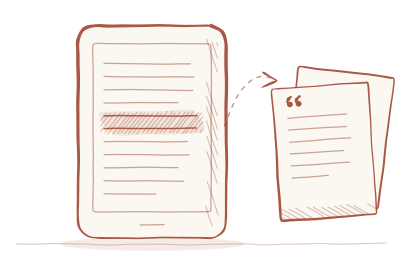
When many readers of the same Kindle book highlight the same passage, Amazon marks it for everyone else with a dotted underline and a count. They show up most in popular nonfiction, where readers tend to mark the same key sentences, and rarely in novels.
Some Kindles also list a book's most popular passages in the notebook or in the information about the book, so you can read them in one go.
Where the numbers come from
Popular Highlights are built from the highlights readers make in synced Kindle books, combined across everyone who reads the same book. The count tells you how many readers marked a passage, never who they were.
How to turn them off on a Kindle e-reader
- Open any book.
- Tap near the top of the screen to show the menu.
- Tap Aa, the reading settings.
- Go to More and switch off Popular Highlights.
The setting applies to all your books. On older Kindles it lives in the main settings instead, under Reading Options. If you can't find it, search the settings for “highlights”.
How to turn them off in the Kindle app
In the Kindle app for iPhone, iPad and Android, open a book, tap the middle of the page, then Aa. Under More, switch off Popular Highlights. Like on the e-reader, it stays off for every book until you turn it on again.
What turning them off changes
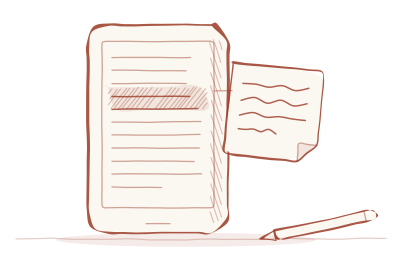
The switch controls what you see while you read: the dotted underlines and counts disappear from every book. Your own highlights and notes are not affected; they stay where they are, in the book, in the app and in your Kindle notebook. You can turn the setting back on at any time, and the underlines reappear.
Popular Highlights only ever show how many readers marked a passage. They don't show who, and they don't show anyone's notes. If you want to share a passage, the Kindle app has a share option for that, and using it is always your own decision.
When they help, and when they don't
In a dense nonfiction book, Popular Highlights work like a friend's pencil marks: they point to the sentences that carry the argument, and it can be reassuring, or surprising, to see what struck thousands of others.
The cost is that they read for you. A passage with a big number under it is hard not to notice, and easy to highlight because others did. If you want your highlights to be a record of what mattered to you, it is worth reading without the crowd, at least for books you care about.
A small experiment: read against the crowd
If you are curious what the crowd adds, try this with your next nonfiction book. Read the first few chapters with Popular Highlights turned off and highlight as you normally would. Then switch them back on and leaf through the same chapters.
You will find passages you both marked, which are probably the book's central ideas. You will find passages thousands of readers marked and you ignored, which tells you something about what you came to the book for. And you will find passages only you marked, the ones most connected to your own life and work. Those are often the most valuable highlights you have, precisely because nobody else chose them.
Your own highlights are the ones that count
A passage a thousand strangers marked is interesting. A passage you marked, with a note about why, is part of your own reading life. Those are the ones worth coming back to, and the ones to build on, whether in a commonplace book or just by putting your highlights to use.