Kindle highlights not syncing? Here's what to check
Highlights missing in the Kindle app or notebook? The usual causes, from Whispersync and offline devices to personal documents, and how to fix each.
· 3 min read
In short
- Highlights sync for books from the Kindle Store, on devices that are online and signed in to the same Amazon account.
- Check that Whispersync is switched on in Manage Your Content and Devices, and that the Kindle has been online since you made the highlights.
- Highlights in personal documents and sideloaded books don't appear in the online notebook; on an e-reader they are kept in My Clippings.txt.
- If only part of a book is missing, the publisher's export limit is the likely reason.
On this page (8)
You highlighted a passage on your Kindle, and now it isn't in the Kindle app on your phone, or in the notebook at read.amazon.com. Most of the time nothing is lost: the highlight is still in the book on the device where you made it. It just hasn't travelled yet, or it never will, for a reason that is easy to find once you know where to look.
Here are the seven things to check, roughly in order of how often they are the cause.
How Kindle syncing works
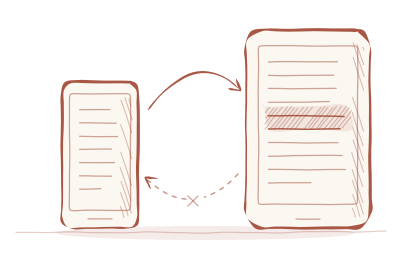
Amazon calls it Whispersync. When you highlight or add a note in a book from the Kindle Store, the device sends it to your Amazon account the next time it is online. From there it reaches your other devices and the Kindle notebook in your browser.
That gives four conditions: the book came from the store, syncing is switched on, the device has been online, and every device uses the same account. When highlights go missing, one of them usually isn't met.
1. Has the Kindle been online?
Highlights made in flight mode or without Wi-Fi wait on the device until it connects. Switch Wi-Fi on, open the book once, and give it a minute. Most Kindles also have a Sync button in the quick settings, which you reach by tapping the top of the screen, and in the main settings menu. It asks the device to sync straight away.
2. Is Whispersync switched on?
Syncing can be turned off for your whole account. On Amazon's website, open Manage Your Content and Devices, go to Preferences and look for Device Synchronization (Whispersync Settings). It should be on.
Some older Kindle e-readers also have a setting of their own, usually under Device Options and Advanced Options. If yours does, make sure it is switched on there too. Menu names change between models and software versions, so if a step looks different, search the settings for “sync”.
3. Same account, same Amazon store?
A Kindle shared within a household, or an app signed in with a second account, keeps its highlights to itself. Check under the account settings on each device which Amazon account it uses.
The online notebook also belongs to the Amazon store your Kindle account is registered with. If you bought your books on Amazon.de, your highlights appear at lesen.amazon.de/notebook, not at read.amazon.com/notebook, and the other way round.
4. Is it a personal document?
Books you didn't buy from Amazon, such as documents sent with Send to Kindle or files copied over by cable, are treated differently. Their highlights generally stay on the device and never appear in the online notebook or in other apps.
They aren't lost, though. A Kindle e-reader writes every highlight into a file called My Clippings.txt, which you can copy to your computer by USB. Our guide on exporting Kindle highlights shows how.
5. Give the app a nudge
The Kindle apps sync when they open, but not always reliably. In the library, pull down to refresh or tap the sync button, then open the book again. If highlights still don't appear, signing out of the app and back in usually settles it.
6. Is only part of a book missing?
If most of a book's highlights arrive but some are cut short or missing in the notebook, the cause is probably not syncing at all. Publishers set a limit on how much of a book can be exported, and Amazon hides or truncates highlights beyond it. They are still in the book on your Kindle. More on this in how to export your Kindle highlights.
7. Still missing?
Open the book on the device where you made the highlight and check that it is there. If it is, and everything above checks out, Amazon's Kindle support can look at your account. If it isn't, it may have been removed by accident; on an e-reader, My Clippings.txt still keeps a copy of everything you ever highlighted.